Case Studies
Bridge Primary Opens Online Booking on athenaOne
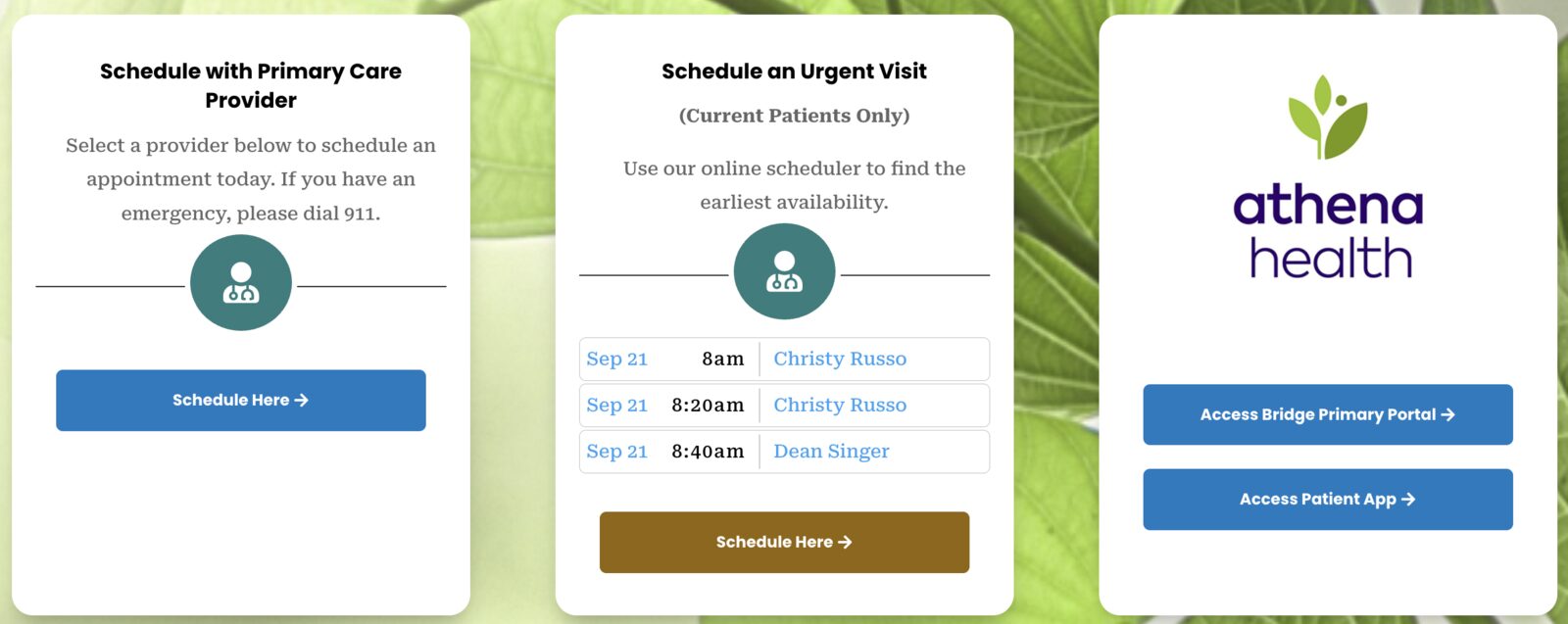
A Massachusetts primary care practice on athenaOne shows its next three open urgent-visit times with provider names on its homepage and lets patients book them.
Practice context
Bridge Primary is a primary care practice in Greenfield, Massachusetts, running on athenaOne, with weight loss, wellness and aesthetic services offered alongside primary care. It uses Pretty Good AI web scheduling so patients can book their own appointments online, against the practice’s real provider schedules, without the practice changing how athenaOne is configured.
The next open slot, on the homepage
The detail worth copying is on the practice’s front page. The “Schedule an Urgent Visit” card does not say “call us” or “request an appointment.” It lists the next three open urgent-visit times, each with the date, the start time and the provider’s name, read live from the athenaOne schedule. A patient sees that Christy Russo has 8:00 and 8:20 on Monday morning and Dean Singer has 8:40, and books one.
That is a different promise from a booking form. The times shown are real openings on the provider’s athenaOne schedule at the moment the page loads, so what the patient picks is what they get. The practice did not build or maintain anything to make this happen; the card is a Pretty Good AI widget that reads the same availability the scheduler itself uses.
What was implemented
Pretty Good AI web scheduling on the practice’s existing athenaOne configuration:
- Patients choose the kind of visit they need: a primary care visit with a chosen provider, or an urgent visit for current patients. The scheduler applies the practice’s own appointment types, providers, locations and notice periods as they are set up in athenaOne.
- The homepage shows the next available urgent-visit times and provider names live, so patients can see availability before they start booking.
- Established patients are matched to their existing chart. New patients provide demographics and a new-patient chart is created in athenaOne.
- The appointment is written as a real athenaOne appointment on the provider’s schedule, not as a request that staff must re-key.
- Intake items the practice asks for ahead of the visit are completed online and returned to the chart.
What the practice controls
- Which providers, locations and appointment types are bookable online, and which visit types show their next openings on the homepage.
- Intake packet contents.
- Clinical decisions and triage. The scheduler books; it does not decide care.
- Working the exceptions handed back to staff.
Where staff still step in
- Uncertain chart matches (a possible duplicate patient).
- Requests outside the online-booking rules.
- Clinical questions raised during intake.
Results
This story is qualitative. No measured results for Bridge Primary have been published. If the practice agrees to measure, we will report the share of appointments booked online, booked versus attended visits, intake completed before the visit and after-hours share of web bookings, each with its cohort, denominator, observation window and the athenaOne report behind it.
Open Online Booking on Your athenaOne Setup
See how patient self-scheduling would run against your own providers, appointment types and notice periods in athenaOne.
Schedule a Demo →Written by Kevin Henrikson