Guides
Voice AI EHR Sync: Bidirectional vs Read-Only
How to tell true bidirectional EHR sync from a read-only voice AI integration, and why write-back to scheduling, referrals, and orders is what matters.
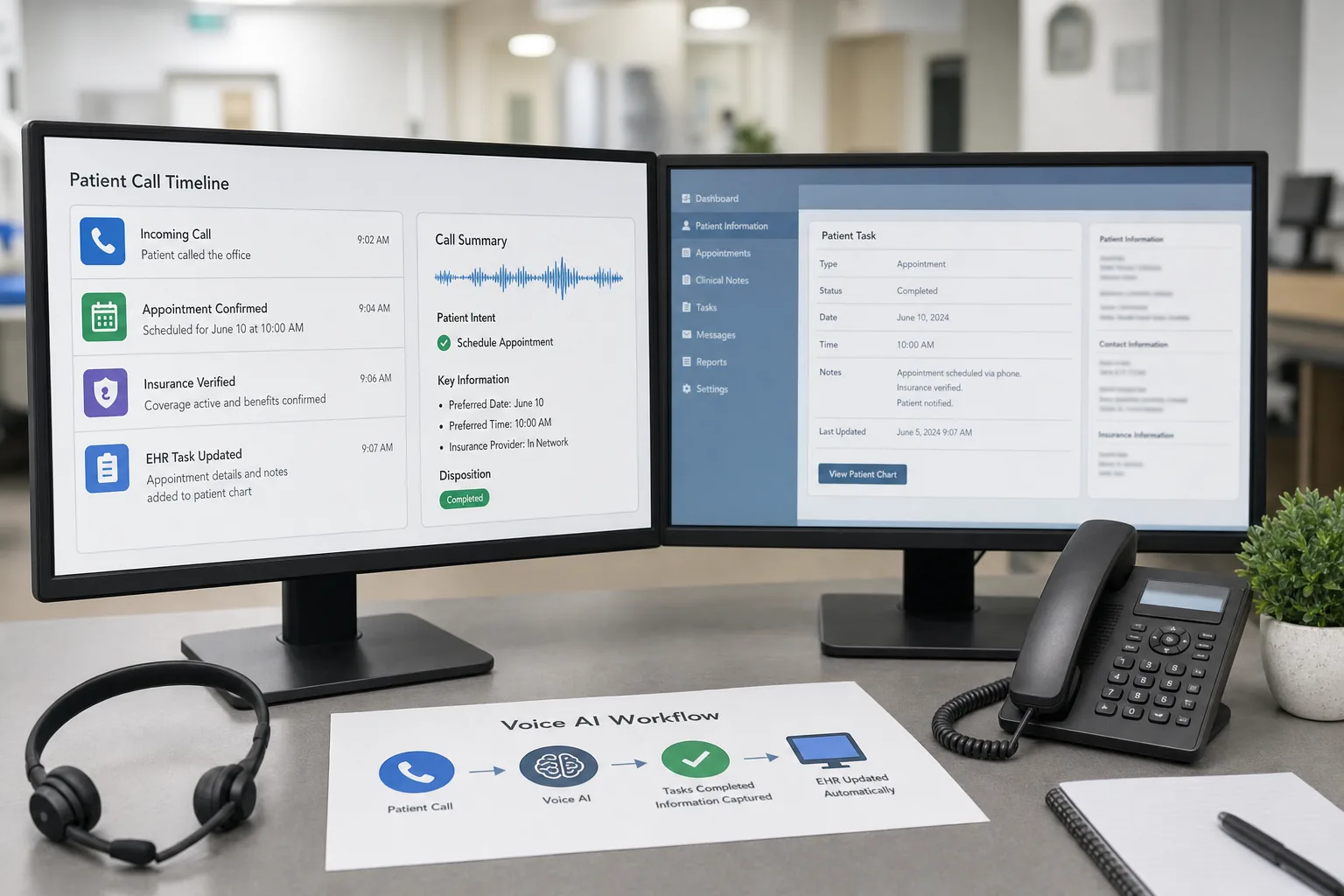
Medical practices are spending on voice AI systems that cannot complete the work. They answer calls, sure. But when a patient needs an appointment, the AI still has to transfer to staff. When someone wants to cancel, staff have to do it manually. When insurance needs verification, the system just takes a message.
This isn’t voice AI. It’s a glorified IVR with better speech recognition.
The difference between a useful voice AI system and an expensive toy is EHR integration. If your voice AI can’t read from and write to your practice management system, it’s forcing your staff to duplicate work instead of eliminating it.
What real EHR integration actually means
Most vendors claim “EHR integration” but deliver something closer to “we can send you an email with the information.” Here’s what actual integration requires:
Read access:
- View real-time appointment availability
- Check patient insurance and demographics
- Pull provider schedules and locations
- Access waitlist status
- Verify patient identity
Write access:
- Schedule new appointments
- Reschedule existing appointments
- Cancel appointments and manage waitlists
- Update patient contact information
- Create patient records for new patients
- Log call notes and outcomes
Critical insight: Without bidirectional data flow, voice AI may add another queue for staff to work. With proper integration, routine workflows can move from the call into the EHR for review and completion.
Without real integration, your voice AI is just collecting information that someone on your staff still has to manually enter. You’ve added technology, not reduced workload. That distinction is the whole argument in what voice AI can absorb when a practice cannot hire medical assistants.
The EHR integration landscape
athenaOne: the best option available
If you’re on athenaOne, you’re in the best position for voice AI integration. athenahealth’s API is comprehensive, well-documented, and specifically designed for third-party integration. Voice AI systems built for athenaOne can:
- Access complete appointment availability across multiple locations
- Book appointments directly into provider schedules
- Handle rescheduling with automatic waitlist management
- Verify insurance eligibility in real-time
- Update patient demographics automatically
These capabilities aren’t theoretical. They exist today and work reliably.
Epic and Cerner: the enterprise challenge
Epic and Oracle Health (formerly Cerner) together hold over 60% of the US hospital EHR market, but they make meaningful integration significantly more difficult for independent software vendors. Their APIs have limitations, certification processes can take 12-18 months, and they’re designed to protect their own scheduling modules (which they sell separately at premium prices).
For most Epic practices, the practical reality is voice AI that feeds into a staff queue for processing. Better than nothing, but nowhere near the efficiency of true integration. (Why practices miss 30-60% of patient calls even with basic IVR systems.)
FHIR: the emerging alternative
FHIR (Fast Healthcare Interoperability Resources) is where healthcare data exchange is heading. More EHR systems are adopting FHIR APIs, which could open up integration options over the next 2-3 years. But today, FHIR implementations vary widely in completeness and reliability.
If your vendor promises “FHIR integration,” ask specifically which resources they support and whether they’ve deployed it in production practices.
What if you’re not on athenaOne?
Be realistic about what’s possible with your current EHR. Here are your options:
- Evaluate EHR alternatives - If your contract is up for renewal, consider whether better integration justifies switching
- Accept limited integration - Some voice AI is better than none; just understand the ROI will be lower
- Focus on non-scheduling tasks - Voice AI can still handle basic questions, routing, and information collection
- Wait for FHIR maturity - If your EHR supports FHIR, better integration is coming (but not yet)
The uncomfortable truth: If you’re locked into an EHR with poor API support, you’re also locked out of the best automation tools.
Security and compliance
Any system accessing your EHR must meet HIPAA requirements. This means:
- BAA (Business Associate Agreement) - Non-negotiable
- Encrypted data transmission - Both in transit and at rest
- Access logging - Every API call must be tracked
- Authentication protocols - OAuth 2.0 or equivalent
- Regular security audits - SOC 2 Type II certification minimum
If a vendor can’t immediately provide documentation of HIPAA compliance and security certifications, walk away. (Learn more about voice AI security for medical practices.)
What to ask before you buy
When evaluating voice AI systems, ask these specific questions:
“Can you show me a live demo of your system booking an appointment in our EHR?”
Not a pre-recorded video. Not a “sandbox environment.” Your actual production EHR, with real availability data, booking a real appointment. If they can’t demo this, they don’t have real integration.
“How long after a patient books an appointment does it appear in our system?”
The answer should be “immediately” or “within 30 seconds.” If they say “we send a notification to your staff” or “appointments appear the next morning,” you don’t have integration.
“What happens when our provider schedules change?”
Real integration means the voice AI sees updated availability in near real-time. If the answer involves “you’ll need to update the system manually” or “we sync overnight,” you’re looking at a system that will create scheduling conflicts.
“Who handles your EHR integration support?”
If the answer is “we’ll connect you with our integration team,” that’s fine. If it’s “you’ll work with your EHR vendor,” run away. EHR vendors don’t support third-party integrations beyond the bare minimum required by regulation.
The ROI difference
A voice AI system without EHR integration might answer basic questions and route requests, while staff still complete the underlying work.
A properly integrated system can complete more routine scheduling, rescheduling, cancellation, and appointment-question workflows end-to-end, with clear escalation when staff judgment is needed.
The figures below are a worked example, not measured benchmarks. Your numbers will vary with call volume, payer mix, and revenue per visit.
| Scenario | Staff Reduction | Integration Quality |
|---|---|---|
| Basic Voice AI (no integration) | 0.5 FTE | Routing only |
| Partial Integration (read-only) | 1.0 FTE | Info retrieval |
| Full Integration (read/write) | 2.0-3.0 FTE | Complete automation |
Based on practice with 4 FT phone staff at $40K each
The business-case difference comes from measured staff time avoided, recovered access, and completed workflows. Compare those outcomes with each vendor’s custom assessment rather than relying on a generic price anchor.
Why real integration costs real money
Building proper EHR integration requires substantial engineering effort. If a voice AI vendor promises “full integration” without explaining how read/write workflows are implemented, the math deserves scrutiny.
They’re either:
- Not actually integrating (just scraping data or using basic APIs)
- Losing money on every customer (which means they won’t be around long)
- Planning to expand the scope after you’re committed without clearly documenting the workflow
At Pretty Good AI, we made a deliberate choice: focus exclusively on athenaOne and build one integration properly. Instead of half-implementing 15 different EHRs, we invested in making athenaOne integration reliable.
If you’re on athenaOne, you get full bidirectional data flow from day one. If you’re not, we’ll be honest about it upfront instead of wasting your time with a demo that doesn’t match your reality.
The minimum standard
The perfect EHR integration doesn’t exist. Even athenaOne has edge cases and limitations. But here’s the minimum you should demand from any voice AI system:
- Real-time appointment booking - Actual creation of appointments, not notifications
- Automated cancellation handling - Including waitlist backfill
- Patient identity verification - Without requiring staff follow-up
- Insurance eligibility checks - Real-time, not batch overnight
- Call outcome logging - Automatically documented in the patient record
If a vendor can’t deliver all five, you’re buying an answering service with better speech recognition, not an automation system.
The bottom line
Voice AI is changing how medical practices handle patient communications, but only when it’s genuinely connected to your practice management system. A system that can answer questions but can’t take action just shifts work around instead of eliminating it.
Integration isn’t a nice-to-have feature. It’s the entire point.
Before you sign a contract, demand proof of real integration in your specific EHR. Ask the hard questions. Calculate ROI based on eliminated work, not reduced call volume. And understand that if your EHR vendor doesn’t prioritize third-party integration, your automation options will always be limited.
For athenaOne practices specifically: you have access to the best automation tools in healthcare. Don’t settle for anything less than complete integration. The technology exists. The ROI is clear. The only question is whether your voice AI vendor has actually built it.
Ready to see what real EHR integration looks like? Book a demo with Pretty Good AI and we’ll show you live appointment booking in your athenaOne environment.
See How It Works in Your Practice
A 15-minute live demo shows voice AI handling a real patient call, scheduling, insurance verification, and EHR lookup. No slides, no pitch deck.
Book a 15-Minute Demo →Written by Kevin Henrikson